You can add a bookmark for https://login.readingdoctor.com in Chrome in a few quick steps:
- Open Chrome and go to login.readingdoctor.com.
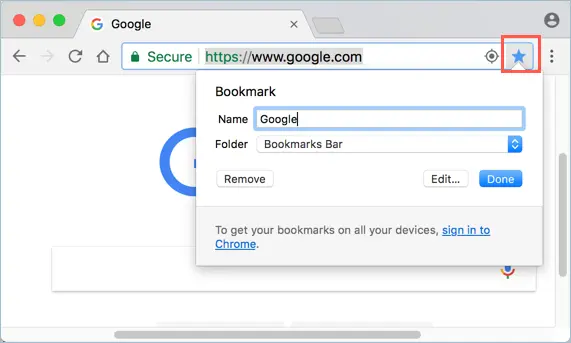
- Click the star icon in the address bar (top right).
- Choose a name, for example ReadingDoctor® Login.
- Choose where to save it (for example Bookmarks bar).
- Click Done.
Tip: if your Bookmarks bar is hidden, press Ctrl + Shift + B (Windows/Chromebook) to show it.
If helpful, Chrome also has an official bookmarks help page: Create, view and edit bookmarks.
Was this article helpful?
That’s Great!
Thank you for your feedback
Sorry! We couldn't be helpful
Thank you for your feedback
Feedback sent
We appreciate your effort and will try to fix the article